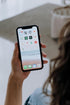
Picture this: you're enjoying a flat white at your local café when your phone slips from your pocket. By the time you realise it's gone, panic sets in. Beyond the cost of replacement, there's something far more valuable at risk – your personal data. Whether you're rocking the latest flagship or a trusty pre-owned device from smartphones NZ retailers, protecting your digital life should be your top priority.
The good news? Android has some brilliant built-in security features that most people don't even know exist. Let's dive into the essential settings that'll help protect your personal information and give you peace of mind.
1. Enable Theft Protection Features
Android's theft protection tools are absolute game-changers. Head to your device's Settings app, tap Google, then All services, and finally Theft protection. Here you'll find two crucial options:
Offline Device Lock automatically locks your phone when it detects suspicious movement patterns – like someone snatching it and running. It's incredibly smart technology that works even when your device isn't connected to the internet.
Failed Authentication Lock kicks in after multiple failed unlock attempts, making it nearly impossible for thieves to access your data through brute force methods.
2. Set Up Remote Wipe and Find My Device
Every Android user should have Find My Device activated. This feature lets you locate, ring, lock, or completely wipe your phone remotely through any web browser. It's particularly valuable for mobile phones New Zealand users who might leave their device at the beach or on public transport.
To enable it, go to Settings > Google > Find My Device and toggle it on. You can also install the Find My Device app on a secondary device for quick access.
3. Strengthen Your Lock Screen Security
Your lock screen is your first line of defence. While pattern locks might feel convenient, a strong PIN or password offers better security. For the ultimate protection, combine biometric authentication (fingerprint or face unlock) with a backup PIN.
Pro tip: Turn off lock screen notifications for sensitive apps like banking or email. You can customise these settings under Settings > Apps & notifications > Notifications > On lock screen.
4. Regular Security Updates and App Audits
Keeping your Android system updated is crucial, whether you're using a brand new device or quality refurbished phones from trusted retailers. Security patches often fix vulnerabilities that could be exploited by cybercriminals.
Take time to review your installed apps quarterly. Uninstall anything you don't actively use, and check app permissions regularly. Many apps request far more access than they actually need to function.
5. Backup Your Data Regularly
Even with the best security measures, accidents happen. Google's built-in backup service automatically saves your photos, contacts, and app data to the cloud. Enable it under Settings > Google > Backup to ensure you never lose precious memories or important information.
For extra security, consider using a secondary backup service for your most critical files.
Smart Security for Smart Consumers
Protecting your digital life doesn't require expensive security software or the latest flagship device. These built-in Android features work brilliantly on older models too, making pre-owned smartphones from reputable NZ retailers an smart, secure choice for budget-conscious consumers.
Remember, the best security system is one you actually use. Take fifteen minutes today to implement these settings – your future self will thank you. Whether you're safeguarding years of photos on your old faithful device or securing a quality refurbished phone, these simple steps will help keep your personal data exactly where it belongs: with you.